What Is a WhatsApp Shared Inbox? A Small-Business Guide
A practical guide to WhatsApp shared inboxes for small businesses: what they are, how they work, when you need one, and what to look for before choosing a tool.
Table of contents
- What does a WhatsApp shared inbox actually do?
- A quick example
- Isn't that the same as WhatsApp linked devices?
- What problem does a shared inbox solve?
- 1. Nobody knows who owns a conversation
- 2. Context gets lost during handoff
- 3. Read does not mean resolved
- 4. Repetitive questions consume staff time
- 5. Customer conversations need to trigger real work
- What features actually matter in a shared inbox?
- Conversation ownership
- Easy handoff
- Internal notes
- Unresolved-conversation visibility
- Searchable history
- Permissions
- Automation that knows when to stop
- Integration with the systems your team already uses
- What a shared inbox does not fix by itself
- Poor responsibility
- Bad information
- Too many unnecessary steps
- Weak handoff rules
- Who actually needs a WhatsApp shared inbox?
- A small-business example: scooter rentals
- How does a WhatsApp shared inbox work technically?
- Can you use the WhatsApp Business app instead?
- How to choose a WhatsApp shared inbox
- Could everyone tell who owned each conversation?
- Did staff need to talk privately about customers?
- Did conversations move between employees?
- Did staff repeatedly type the same answers?
- Did replies require checking another system?
- Did customers contact you somewhere besides WhatsApp?
- Do you actually need reporting?
- How LoloDesk fits into this
- Frequently asked questions
- What is a WhatsApp shared inbox?
- Is a WhatsApp shared inbox the same as linked devices?
- How many people can use WhatsApp Business at the same time?
- Do small businesses need a shared inbox?
- Does a shared inbox require the WhatsApp Business Platform?
- Can a shared inbox automate customer replies?
- Can a shared inbox combine WhatsApp and website chat?
- What is the most important shared-inbox feature?
- The bottom line
- Sources and further reading
What Is a WhatsApp Shared Inbox? A Small-Business Guide
A WhatsApp shared inbox is a team workspace for handling customer conversations from one business WhatsApp number.
Instead of one person carrying the company phone—or several employees opening the same account and trying to coordinate informally—a shared inbox gives the team a common place to see conversations, assign responsibility, leave internal context, and hand work to another person when needed.
That sounds simple, but the distinction matters.
A shared inbox is not just WhatsApp on more devices.
WhatsApp Business already supports linked devices, and for many small businesses that is enough. A shared inbox becomes useful when the real problem is no longer access to the account. It is managing the work around each conversation.
If your team regularly asks things like:
Did anyone reply to this customer?
Who is handling this booking?
Can you take over this conversation?
What did we already tell them?
then you are already dealing with the problem a shared inbox is meant to solve.

What does a WhatsApp shared inbox actually do?
At its simplest, a shared inbox turns customer conversations into work that a team can manage together.
A customer still sends a message to the business's WhatsApp number.
The difference is what happens after that message arrives.
Instead of the conversation living only inside a phone or a basic WhatsApp interface, it appears in a workspace where the team may be able to:
- see all incoming WhatsApp conversations;
- assign a conversation to a specific teammate;
- see who is currently responsible;
- add notes that the customer cannot see;
- hand a conversation to another person;
- use saved replies or AI for routine questions;
- organize conversations by status or category;
- track response times and unresolved messages;
- connect the conversation to booking, order, CRM, or other business systems;
- manage other channels, such as website chat, in the same workspace.
Not every shared inbox includes every feature.
The core idea is simpler:
The customer sees one business. The team gets the structure needed to work behind the scenes.
A quick example
Imagine a small hotel with three people sharing guest inquiries.
A customer sends:
Hi, do you have a family room available this Friday and Saturday? We are two adults and two children.
Without a shared workflow, any of the three staff members may see the message.
One person checks availability.
Another assumes nobody has answered and checks again.
Someone reads the message during a busy moment and plans to come back to it later.
The guest does not care which staff member replies. They simply expect an accurate answer.
A shared inbox can turn the same inquiry into something clearer:
Guest sends WhatsApp message
        ↓
Conversation appears in the team inbox
        ↓
Mia is assigned as the owner
        ↓
Availability is checked
        ↓
Mia replies
        ↓
If approval is needed, the owner is brought in
        ↓
Conversation is closed when resolved
Nothing about that workflow is particularly "enterprise."
It is basic coordination.
And that is why a shared inbox can be useful even for a team of three.
Isn't that the same as WhatsApp linked devices?
No.
They solve related problems, but they are not the same thing.
WhatsApp Business currently allows a business to connect up to four linked devices in the standard setup. Meta also says eligible Meta Verified business subscriptions can support more devices and chat assignment features.
For a small team with low message volume, that may be all you need.
For example:
- one owner;
- one assistant;
- twenty customer conversations a day;
- very little overlap between shifts.
Giving the assistant access to a linked device is probably simpler than adding another software platform.
A shared inbox becomes more valuable when several people are actively working from the same conversation stream and need coordination around it.
| Need | Linked devices | Shared inbox |
|---|---|---|
| Several people can open the same WhatsApp account | Yes | Yes |
| Clear conversation ownership | Limited or plan-dependent | Usually a core feature |
| Private team notes | Limited | Common |
| Structured handoff between staff | Mostly manual | Usually built in |
| Queue of unresolved conversations | Basic | Common |
| WhatsApp + website chat in one workspace | No | Possible |
| Team analytics | Limited | Common |
| AI or workflow automation | Native options vary | Often available depending on provider |
| External system actions | Not the main purpose | Possible through integrations |
The practical difference is this:
Linked devices share access. A shared inbox shares responsibility.
What problem does a shared inbox solve?
The biggest misconception is that a shared inbox is mainly about letting more people reply.
That is only the surface-level benefit.
The real problem is coordination.
1. Nobody knows who owns a conversation
This is one of the earliest signs a team has outgrown a simple shared-device setup.
A customer asks a question.
Three people see it.
Everyone assumes someone else will take it.
Two hours later, nobody has replied.
Or the opposite happens: two people answer at the same time.
A shared inbox lets the team see who is responsible.
That one change can remove a surprising amount of confusion.
2. Context gets lost during handoff
Small businesses hand conversations around constantly.
A front-desk employee sends a payment issue to the owner.
A sales assistant hands a technical question to someone more experienced.
An evening employee leaves an unresolved booking request for the morning shift.
Without a shared workspace, the handoff often happens in a separate chat:
Can you check customer +63 9XX... tomorrow? They want to move their booking.
Now there are two conversations to follow—the customer conversation and the staff conversation.
A shared inbox can keep that internal context beside the actual customer thread.
3. Read does not mean resolved
This becomes a real problem when message volume increases.
Someone opens a message while doing something else.
The chat is no longer obviously unread.
But the customer still has no answer.
A shared inbox can separate states such as:
- new;
- assigned;
- waiting;
- needs follow-up;
- resolved.
The labels vary by platform, but the purpose is the same: the team should be able to distinguish seen from handled.
4. Repetitive questions consume staff time
Small businesses often answer the same questions all day:
- What time do you open?
- How much is the rental?
- Do you deliver?
- What IDs do I need?
- Do you have a room tonight?
- Where are you located?
- Can I pay by card?
- What is your cancellation policy?
A shared inbox on its own does not automatically solve this.
But many shared-inbox platforms add saved replies, automation, or AI on top of the conversation layer.
That matters because the team can automate routine questions while keeping unusual or sensitive requests with a person.
5. Customer conversations need to trigger real work
This is where a shared inbox can become much more useful than a messaging screen.
Consider:
Do you have two scooters available from September 18 to 21?
The answer depends on availability.
Or:
Can you check my booking under Maria Santos?
That requires a booking lookup.
Or:
Can you move my appointment to 3 PM?
That may require an action in another system.
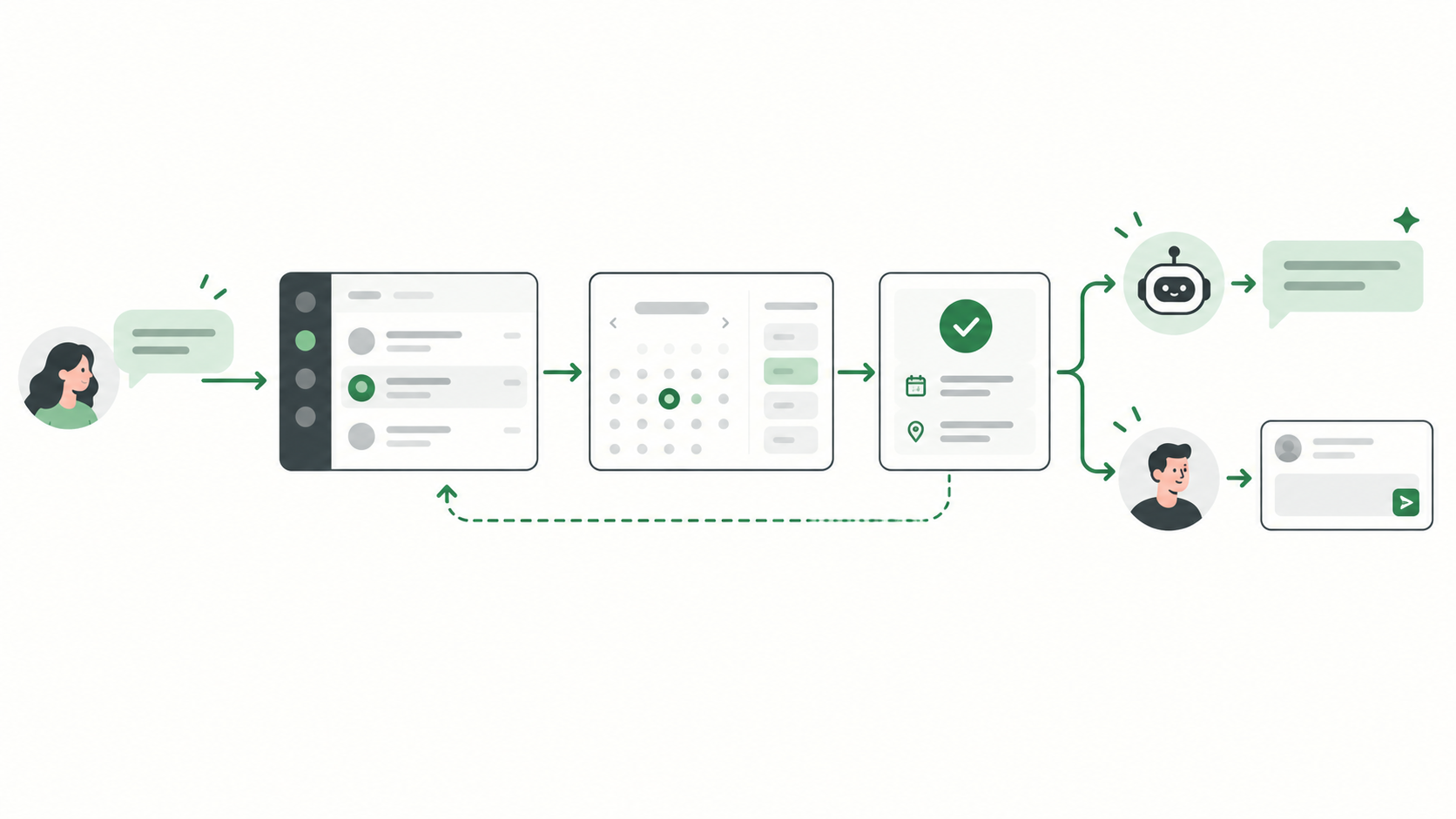
The more often customer messages turn into operational tasks, the more useful it becomes to connect the conversation to the systems behind the business.
What features actually matter in a shared inbox?
Shared-inbox product pages can become feature-heavy very quickly.
For a small business, a shorter list is more useful.
Conversation ownership
Can one person clearly own a conversation?
This is more important than dozens of filters or dashboards.
If the team can immediately see:
This customer is being handled by Anna.
then the inbox is already solving a real problem.
Easy handoff
Can Anna hand the conversation to Ben without copying the customer's history into another staff chat?
The new owner should be able to understand what has already happened.
Internal notes
Can staff leave context for each other without accidentally sending it to the customer?
This is especially useful for:
- approvals;
- unusual requests;
- payment issues;
- booking changes;
- complaints;
- follow-up reminders.
Unresolved-conversation visibility
Can the team quickly see which customers are still waiting?
A beautiful inbox is not very useful if unfinished conversations can still disappear into the list.
Searchable history
Can a teammate find the earlier conversation when a customer comes back after two weeks?
WhatsApp's linked-device history can differ by device, and WhatsApp currently documents a known issue where some linked devices may not show up to a year of chat history.
For businesses where long-term context matters, ask shared-inbox providers how conversation history is stored and searched.
Permissions
Does everyone need access to everything?
A five-person company may not care.
But once you have sales, support, managers, or multiple branches, role-based access can become important.
Automation that knows when to stop
Automation is useful when the answer is predictable.
It becomes risky when the system tries to improvise through requests that need judgment.
A good setup should make it easy to hand a conversation to a person when:
- the customer is upset;
- a refund or exception is requested;
- information is missing;
- an action fails;
- the AI is uncertain;
- someone explicitly asks for a human.
Integration with the systems your team already uses
Do not choose a shared inbox based only on its messaging interface.
Ask what happens after the customer asks for something.
If your team constantly switches to:
- a booking platform;
- a spreadsheet;
- a CRM;
- inventory;
- an order system;
- a calendar;
then the ability to connect those systems may matter more than another dashboard feature.
What a shared inbox does not fix by itself
This is worth saying because software rarely fixes a broken process on its own.
A shared inbox will not automatically solve:
Poor responsibility
If nobody knows which types of inquiries belong to which person, assignments will still be messy.
You need simple rules.
For example:
- new bookings → reception;
- payment issues → owner;
- technical questions → support;
- complaints → manager.
Bad information
Automation cannot give reliable answers if your pricing, policies, hours, inventory, or knowledge base are wrong.
The faster you automate bad information, the faster customers receive bad answers.
Too many unnecessary steps
A small business does not need a complicated ticketing process just because the software supports one.
If a receptionist can solve a question in thirty seconds, let them solve it.
Do not turn every WhatsApp chat into a twelve-stage enterprise workflow.
Weak handoff rules
If AI is involved, decide what it should never handle alone.
For example:
- refunds;
- disputes;
- medical advice;
- unusual discounts;
- safety incidents;
- anything that requires approval.
A shared inbox gives you structure, but you still need to decide how the business should operate.
Who actually needs a WhatsApp shared inbox?
You probably do not need one just because you use WhatsApp for business.
A shared inbox is worth considering when several of these are true:
- two or more people regularly answer the same business number;
- duplicate replies happen;
- messages are occasionally missed;
- customers need to be handed between staff;
- teammates need private notes;
- customer inquiries continue across shifts;
- you want WhatsApp and website chat in one place;
- repetitive questions take up a meaningful amount of time;
- replies depend on booking, inventory, CRM, order, or availability data;
- you want to track unresolved conversations or response times.
The number of employees alone is not enough.
A three-person booking team receiving hundreds of inquiries may need a shared inbox badly.
A ten-person business where only one receptionist answers fifteen messages a day may not.
A small-business example: scooter rentals
Imagine a scooter rental company where most bookings begin on WhatsApp.
A customer sends:
Hi, do you have two NMAX available tomorrow? We need them for three days and we're staying near General Luna.
A good shared-inbox workflow could look like this:
New WhatsApp inquiry
        ↓
Booking details are captured
        ↓
Conversation assigned to reception
        ↓
Availability is checked
        ↓
Customer receives the available options
        ↓
Special request?
       ↙  ↘
     No    Yes
     ↓      ↓
 Continue  Human takes over
The inbox is not valuable because it makes the message prettier.
It is valuable because it connects the conversation to a repeatable process.
That distinction matters.

How does a WhatsApp shared inbox work technically?
Most dedicated WhatsApp team-inbox products connect through the WhatsApp Business Platform, sometimes still referred to as the WhatsApp Business API.
The platform handles the WhatsApp messaging connection.
The shared inbox is the interface your team works in.
A simplified setup looks like this:
Customer
   ↓
WhatsApp
   ↓
WhatsApp Business Platform
   ↓
Shared inbox software
   ↓
Your team / AI / business systems
This distinction is useful because the WhatsApp Business Platform and the shared inbox are not necessarily provided by the same company.
Some providers handle onboarding, messaging, automation, and the inbox together.
Others are mainly the workspace layered on top.
When evaluating a provider, ask clearly:
- How is our WhatsApp number connected?
- Can we continue using our existing number?
- Can the WhatsApp Business app and the inbox be used together?
- What messaging charges apply?
- What happens if we leave the provider?
- Who owns the WhatsApp Business Account?
- How is our message history handled?
- What permissions do employees have?
- What happens when the provider is unavailable?
Do not skip these questions because the demo looks good.
Can you use the WhatsApp Business app instead?
Absolutely.
WhatsApp describes the Business app as a free product built with small businesses in mind. It includes a business profile, organizational tools, and messaging features.
Start there if it solves the problem.
That is especially reasonable when:
- the owner handles most messages;
- one or two people help occasionally;
- staff shifts do not overlap much;
- message volume is still low;
- the business does not need deep collaboration;
- customer requests rarely need another system.
The simplest setup that works reliably is usually the right setup.
Move to a shared inbox when the manual coordination starts costing more time than the software would save.
How to choose a WhatsApp shared inbox
Do not begin with a 50-row feature comparison.
Start with your actual conversations.
Take the last twenty customer chats and look for patterns.
Then ask:
Could everyone tell who owned each conversation?
If not, prioritize assignments and ownership.
Did staff need to talk privately about customers?
If yes, prioritize internal notes.
Did conversations move between employees?
If yes, test handoff carefully.
Did staff repeatedly type the same answers?
If yes, look at saved replies, knowledge tools, or AI—but test accuracy.
Did replies require checking another system?
If yes, integrations or business actions may be more valuable than cosmetic inbox features.
Did customers contact you somewhere besides WhatsApp?
If yes, consider whether you want those conversations in the same workspace.
Do you actually need reporting?
Do not pay for complex analytics because a vendor says you should.
Useful small-business metrics are usually simple:
- how many conversations are waiting;
- how quickly customers receive a first response;
- how many conversations need a person;
- which questions come up repeatedly;
- where handoffs or delays happen.
How LoloDesk fits into this
LoloDesk is built around the idea that a shared inbox should help a small team do more than simply open WhatsApp together.
The shared inbox keeps WhatsApp and website conversations in one workspace so the team can keep context and hand conversations to the right person.
The AI assistant can handle routine questions using approved business information, while people remain available for requests that need judgment.
And when a customer question depends on live business data, Business Actions can connect the conversation to workflows such as availability checks or booking lookups.
That is the broader idea behind an AI front desk:
Customer asks
     ↓
Request is understood
     ↓
Routine answer or business action
     ↓
Reply
     ↓
Human joins when needed
A shared inbox is the foundation underneath that workflow.
But if all your business needs today is two employees seeing the same WhatsApp chats, you may not need all of this yet.
Use the simpler setup until the coordination problem is real.
Frequently asked questions
What is a WhatsApp shared inbox?
A WhatsApp shared inbox is a team workspace that lets multiple employees manage customer conversations from a business WhatsApp number. Depending on the platform, it can include assignments, internal notes, handoffs, automation, reporting, and integrations.
Is a WhatsApp shared inbox the same as linked devices?
No.
Linked devices let multiple devices access the same WhatsApp account. A shared inbox adds team-workflow features around the conversations, such as ownership, notes, queues, automation, and handoffs.
How many people can use WhatsApp Business at the same time?
WhatsApp currently supports up to four linked devices in the standard setup, while eligible Meta Verified business subscriptions can support additional devices and chat assignment.
Do small businesses need a shared inbox?
Not always.
If a few people can coordinate easily using the WhatsApp Business app, keep it simple. A shared inbox becomes more useful when messages are missed, replies overlap, ownership becomes unclear, or conversations need structured handoffs and automation.
Does a shared inbox require the WhatsApp Business Platform?
Most dedicated team-inbox tools connect through the WhatsApp Business Platform or another official Meta-supported integration. Exact setup varies by provider.
Can a shared inbox automate customer replies?
Many can, but the type of automation varies. Some provide saved replies and routing. Others add AI, workflows, or connections to business systems. Automation should still include a clear path to a human when the request needs judgment.
Can a shared inbox combine WhatsApp and website chat?
Some platforms can. LoloDesk's shared inbox, for example, is designed to bring WhatsApp and website conversations into one workspace.
What is the most important shared-inbox feature?
For many small teams, it is clear conversation ownership.
Knowing who is responsible for each customer prevents both missed replies and duplicate work.
The bottom line
A WhatsApp shared inbox is not valuable because it puts more people in front of the same messages.
WhatsApp can already do that with linked devices.
The value appears when several people need to work together around those messages.
Who owns the customer?
What is still waiting?
What did the previous employee already promise?
Does this request need a person?
Does the answer depend on availability, a booking, an order, or another business system?
Once those questions become part of everyday work, WhatsApp is no longer just a messaging app for the team.
It has become part of the business's operating process.
That is the point where a shared inbox starts to make sense.
Sources and further reading
- WhatsApp Help Center: How to link a device using a phone number and the WhatsApp Business app
- WhatsApp Help Center: How to link a device with QR code on the WhatsApp Business app
- WhatsApp Help Center: About linked devices
- WhatsApp Help Center: About message history on linked devices
- WhatsApp Help Center: About using the WhatsApp Business app to communicate with your customers
- WhatsApp Help Center: About WhatsApp Business